Author: Chris Walker

  • Community Projects & Contributors Take on Jakarta EE 9

    With the recent release of JakartaEE9, the future for Java has never been brighter. In addition to headline projects moving forward into the new jakarta.* namespace, there has been a tremendous amount of work done throughout the community to stay at the forefront of the changing landscape. These efforts are the summation of hundreds of hours by just as many developers and highlight the vibrant ecosystem in the Jakarta workspace.
    The Jakarta EE contributors and committers came together to shape the 9 release. They chose to create a reality that benefits the entire Jakarta EE ecosystem. Sometimes, we tend to underestimate our influence and the power of our actions. Now that open source is the path of Jakarta EE, you, me, all of us can control the outcome of this technology. 
    Such examples that are worthy of emulation include the following efforts. In their own words:

    Eclipse Jetty – The Jetty project recently released Jetty 11, which has worked towards full compatibility with JakartaEE9 (Servlet, JSP, and WebSocket). We are driven by a mission statement of “By Developers, For Developers”, and the Jetty team has worked since the announcement of the so-called “Big Bang” approach to move Jetty entirely into the jakarta.* namespace. Not only did this position Jetty as a platform for other developers to push their products into the future, but also allowed the project to quickly adapt to innovations that are sure to come.

    [Michael Redich] The Road to Jakarta EE 9, an InfoQ news piece, was published this past October to highlight the efforts by Kevin Sutter, Jakarta EE 9 Release Lead at IBM, and to describe the progress made this past year in making this new release a reality. The Java community should be proud of their contributions to Jakarta EE 9, especially implementing the “big bang,” and discussions have already started for Jakarta EE 9.1 and Jakarta EE 10. The Q&A with Kevin Sutter in the news piece includes the certification and voting process for all the Jakarta EE specifications, plans for upcoming releases of Jakarta EE, and how Java developers can get involved in contributing to Jakarta EE. Personally, I am happy to have been involved in Jakarta EE having authored 14 Jakarta EE-related InfoQ news items for the three years, and I look forward to taking my Jakarta EE contributions to the next level. I have committed to contributing to the Jakarta NoSQL specification which is currently under development. The Garden State Java User Group (in which I serve as one of its directors) has also adopted Jakarta NoSQL. I challenge anyone who still thinks that the Java programming language is dead because these past few years have been an exciting time to be part of this amazing Java community!

    WildFly 22 Beta1 contains a tech preview EE 9 variant called WildFly Preview that you can download from the WildFly download page.  The WildFly team is still working on passing the needed (Jakarta EE 9) TCKs (watch for updates via the wildfly.org site.)  WildFly Preview includes a mix of native EE 9 APIs and implementations (i.e. ones that use the  jakarta.* namespace) along with many APIs and implementations from EE 8 (i.e. ones that use the  java.* namespace). This mix of namespaces is made possible by using the Eclipse community’s excellent Eclipse Transformer project to bytecode transformer legacy EE 8 artifacts to EE 9 when the server is provisioned. Applications that are written for EE 8 can also run on WildFly Preview, as a similar transformation is performed on any deployments managed by the server.

    Apache TomEE is a Jakarta EE application server based on Apache Tomcat. The project main focus is the Web Profile up until Jakarta EE 8. However, with Jakarta EE 9 and some parts being optional or pruned, the project is considering the full platform for the future. TomEE is so far a couple of tests down (99% coverage) before it reaches compatibility with Jakarta EE 8 (See Introducing TCK Work and how it helps the community jump into the effort). For Jakarta EE 9, the Community decided to pick a slightly different path than other implementations. We have already produced a couple of Apache TomEE 9 milestones for Jakarta EE 9 based on a customised version of the Eclipse Transformer. It fully supports the new jakarta.* namespace. Not to forget, the project also implements MicroProfile.

    Open Liberty is in the process of completing a Compatible Implementation for Jakarta EE 9.  For several months, the Jakarta EE 9 implementation has been rolling out via the “monthly” Betas.  Both of the Platform and Web Profile TCK testing efforts are progressing very well with 99% success rates.  The expectation is to declare one (or more) of the early Open Liberty 2021 Betas as a Jakarta EE 9 Compatible Implementation.  Due to Open Liberty’s flexible architecture and “zero migration” goal, customers can be assured that their current Java EE 7, Java EE 8, and Jakarta EE 8 applications will continue to execute without any changes required to the application code or server configuration.  But, with a simple change to their server configuration, customers can easily start experimenting with the new “jakarta” namespace in Jakarta EE 9.

    Jelastic PaaS is the first cloud platform that has already made Jakarta EE 9 release available for the customers across a wide network of distributed hosting service providers. For the last several months Jelastic team has been actively integrating Jakarta EE 9 within the cloud platform and in December made an official release. The certified container images with the following software stacks are already updated and available for customers across over 100 data centers: Tomcat, TomEE, GlassFish, WildFly and Jetty. Jelastic PaaS provides an easy way to create environments with new Jakarta EE 9 application servers for deep testing, compatibility checks and running live production environments. It’s also possible now to redeploy existing containers with old versions to the newest ones in order to reduce the necessary migration efforts, and to expedite adoption of cutting-edge cloud native tools and products. 


    [
    Amelia Eiras] Pull Request 923- Jakarta EE 9 Contributors Card is a formidable example of eleven-Jakartees coming together to create, innovate and collaborate on an Integration-Feature that makes it so that no contributor, who helped on Jakarta EE 9 release, be forgotten in the new landing page for the EE 9 Release. Who chose those Contributors? None. That is the sole point of the existence of PR923.I chose to lead the work on the PR and worked openly by prompt communications delivered the day that Tomitribe submitted the PR – Jakarta EE Working Group message to the forum to invite other Jakartees to provide input in the creation of the new feature. With Triber Andrii, who wrote the code and the feedback of those involved, the feature is active and used in the EE 9 contributors cards, YOU ROCK WALL
    The Integration-Feature will be used in future releases.  We hope that it is also adopted by any project, community, or individual in or outside the Eclipse Foundation to say ThankYOU with actions to those who help power & maintain any community. 

    • PR logistics: 11 Jakartees came together and produced 116 exchanges that helped merge the code. Thank you, Chris (Eclipse WebMaster) for helping check the side of INFRA. The PR’s exchanges lead us to choose the activity from 2 GitHub sources: 1) https://github.com/jakartaee/specifications/pulls all merged pulls and 2)  https://github.com/eclipse-ee4j all repositories.
    • PR Timeframe: the Contributors’ work accomplished from October 31st, 2019 to November 20th, 2020, was boxed and is frozen.   The result is that the Contributor Cards highlight 6 different Jakartees at a time every 15 seconds.  A total of 171 Jakartee Contributors (committers and contributors, leveled) belong to the amazing people behind EE 9 code. While working on that PR, other necessary improvements become obvious. A good example is the visual tweaks PR #952 we submitted that improved the landing page’s formatting, cards’ visual, etc. 

    Via actions, we chose to not “wait & see”, saving the project $budget, but also enabling openness to tackle the stuff that could have been dropped into “nonsense”. 

     
    In open-source, our actions project a temporary part of ourselves, with no exceptions. Those actions affect positively or negatively any ecosystem. Thank you for taking the time to read this #SharingIsCaring blog.  
     

  • Jetty 10 and 11 Have Arrived!

    The Eclipse Jetty team is proud to announce the release of Jetty 10 and Jetty 11! Let’s first get into the details of Jetty 10, which includes a huge amount of enhancements and upgrades. A summary of the changes follows.

    Minimum Java Version

    The minimum required Java version for Jetty 10 is now Java 11.
    As new versions of the OpenJDK are released, Jetty is tested for compatibility and is at this point compatible with versions up to Java 15.

    WebSocket Refactor

    • Major refactor of Jetty WebSocket code. The Jetty WebSocket core API now provides the RFC6455 protocol implementation. The Jetty and Javax WebSocket APIs are separate layers which use the new WebSocket core implementation. 
    • Support for RFC8441 WebSocket over HTTP/2 on both WebSocket client and WebSocket server. This allows a HTTP/2 stream to be upgraded to a WebSocket connection allowing the single TCP connection to be shared by both HTTP/2 and WebSocket protocols.
    • Various improvements and cleanups to the Jetty WebSocket API.

    Self Ordering Webapp Configurations.

    • The new WebAppContext Configuration API, useful for embedded Jetty users, have been made simpler to use.
    • The available Configurations are discovered with the ServiceLoader, so that often all that is required is to add a feature jar onto the server classpath for that feature to be applied to all web applications.
    • Configurations are self ordering using before/after dependencies defined in the Configurations themselves. This removes the need to explicitly order Configurations or to use add-after style semantics.
    • A Configuration now includes the ability to condition the Webapp classloader so that classes/packages on the server class loader can be explicitly hidden, protected and/or exposed to the Webapp classloader.

    HTTP Session Refactor

    The HTTP session storage integrations were refactored to be consistent. Previously, the various integrations discovered expired sessions in different ways and with different thresholds for expiry. The refactoring applies the same uniform criteria for expiry no matter the persistence technology used. Some of the configuration properties have changed as a result of the refactoring.

    New XML DTD

    The Jetty XML files now validate against the new configure_10_0.dtd.  We encourage moving to the new DTD.

    Jetty Distribution Change

    There is no longer a jetty-distribution artifact, use the equivalent jetty-home artifact.
    The $JETTY_BASE mechanism has not changed.  Upgrades should be mostly transparent, only custom XML in your $JETTY_BASE and logging require migration.

    Jetty-Quickstart Just Got Easier to Use

    In Jetty 10 it is easier to use the jetty-quickstart mechanism to improve the start-up time of webapps. Previously it was necessary to enable the quickstart module and also create a special context xml file for your webapp and explicitly apply some configuration. With Jetty 10 you no longer need the special context xml file: you simply enable the quickstart module, and then edit the generated start.d/quickstart.ini file to either force generation or use a pre-generated quickstart file.

    Expanded JPMS Support

    Jetty 10 is now fully JPMS compliant with proper JPMS modules and module-info.class files, improving over Jetty 9.4.x where only the Automatic-Module-Name was defined for each artifact.
    This allows other libraries to leverage Jetty JPMS modules properly, and use jlink to create custom images that embed Jetty.

    HTTP Client

    HttpClient has undergone a number of changes, in particular:

    • An improved API for setting request and response headers, based on the new HttpFields and HttpField.Mutable APIs.
    • An improved API for setting request content, based on a reactive model where the demand of content and buffer recycling can now be performed separately. This allows applications to provide request content implementations in a much simpler way, without the need to know HttpClient implementation details.
    • The introduction of ClientConnector, a reusable component that manages the connections opened by HttpClient that can now be shared with HTTP2Client, and that centralizes the configuration of other components such as the Executor, the Scheduler, the SslContextFactory, and the TCP properties.
    • The introduction of a dynamic HttpClientTransport that allows switching, for example, from HTTP/1.1 to HTTP/2 after negotiation with the server. This allows us to write web spiders or proxies that can prefer HTTP/2 but fall back to HTTP/1.1 if the server does not support HTTP/2.
    • Support for tunneling WebSocket over HTTP/2 (this feature is primarily used by the WebSocketClient – for the application it should be transparent)
    • Support for the PROXY protocol so that proxy applications that use HttpClient can use the PROXY protocol and forward client TCP data (and metadata when using PROXY v2) to the server.

    Logging

    Jetty 9 and earlier had its own Logging Facade.
    Starting with Jetty 10, that custom facade has been completely replaced by SLF4J 2.0 API usage. You can use any logging implementation you want with Jetty, as long as there is an SLF4J 2.x implementation available for it.
    The entire org.eclipse.jetty.util.log package has seen large changes in Jetty 10.

    • org.eclipse.jetty.util.log.Log is deprecated and all methods just delegate to SLF4J.
    • org.eclipse.jetty.util.log.Logger is deprecated and is not used.
    • No other classes from Jetty 9 exist in this package.

    In Jetty 10, there is also a new optional SLF4J implementation provided by Jetty in the form of (jetty-slf4j-impl) which performs the same functionality as the old StdErrLog from Jetty 9 and earlier, with support for configuring logging levels via the jetty-logging.properties classpath resource.
    The format of the jetty-logging.properties file is almost identical to what it was before.
    The following properties have been removed (and cause no changes in the configuration and no warnings or errors in Jetty 10 forward)

    • org.eclipse.jetty.util.log.class=<classname>
      • This has no property replacement, correct SLF4J jar file usage is how you configure this.
    • org.eclipse.jetty.util.log.IGNORED=<boolean>
      • There is no replacement for “IGNORED” logging level.
    • org.eclipse.jetty.util.log.announce=<boolean>
      • Logging announcement is not a feature of Jetty but could be part of the logging implementation you choose, configuring this would be in the logging implementation you choose.
    • org.eclipse.jetty.util.log.SOURCE=<boolean>
    • org.eclipse.jetty.util.log.stderr.SOURCE=<boolean>
      • Source logging is a possible feature of the specific SLF4J implementation you choose,  check their documentation.

    There are new properties as well:

    • org.eclipse.jetty.logging.appender.NAME_CONDENSE=<boolean>
      • This was the old org.eclipse.jetty.util.log.stderr.LONG which controlled the output of the logger name.  (true means the package name are condensed in the output, false means the fully qualified class name is used in output) – defaults to true
    • org.eclipse.jetty.logging.appender.THREAD_PADDING=<int>
      • This was the old org.eclipse.jetty.util.log.StdErrLog.TAG_PAD for aligning all messages to a common offset from the start of the log line. – defaults to -1
    • org.eclipse.jetty.logging.appender.MESSAGE_ESCAPE=<boolean>
      • This was the old org.eclipse.jetty.util.log.stderr.ESCAPE for turning on/off the escaping of control characters found in the message text. – defaults to true
    • org.eclipse.jetty.logging.appender.ZONE_ID=<timezone-id>
      • This defaults to java.util.TimeZone.getDefault() and is present to allow setting the output timestamp in the desired timezone.

    Jetty 11

    When Oracle donated the JavaEE project to the Eclipse foundation, they maintained the copyright to the javax.* namespace. Subsequently, future versions of JavaEE, now called JakartaEE, would be required to use a new namespace for those packages. Instead of an incremental process, the Eclipse foundation opted for a big bang approach and packages formerly under the javax.* namespace has been refactored under the new jakarta.* namespace.
    Enter Jetty 11. Jetty 11 is identical to Jetty 10 except that the javax.* packages now conform to the new jakarta.* namespace. Jetty 10 and 11 will remain in lockstep with each other for releases, meaning all new features or bug fixes in one version will be available in the other.
    It is important to note that Jetty 10.x will be the last major Jetty version to support the javax.* namespace. If this is alarming, be assured that Jetty 10 will be supported for a number of years to come. We have no plans on releasing it only to drop support for it in 12-18 months.

  • Indexing/Listing Vulnerability in Jetty

    If you are using DefaultServlet or ResourceHandler with indexing/listing, then you are vulnerable to a variant of XSS behaviors surrounding the use of injected HTML element attributes on the parent directory link. We recommend disabling indexing/listing or upgrading to a non-vulnerable version.
    To disable indexing/listing:
    If using the DefaultServlet (provided by default on a standard WebApp/WAR), you’ll set the dirAllowed init-param to false.
    This can be controlled in a few different ways:
    Directly in your WEB-INF/web.xml
    Add/edit the following entry …

      <servlet>
        <servlet-name>default</servlet-name>
        <servlet-class>org.eclipse.jetty.servlet.DefaultServlet</servlet-class>
        <init-param>
          <param-name>dirAllowed</param-name>
          <param-value>false</param-value>
        </init-param>
        ... (other init) ...
        <load-on-startup>0</load-on-startup>
      </servlet>
    

    Alternatively, you’ll edit your configured web descriptor default (usually declared as webdefault.xml) or your web descriptor override-web.xml.
    The web defaults descriptor can either be configured at the WebAppProvider level and will be applied to all webapps being deployed, or at the individual webapp.
    For the WebAppProvider level, you have several choices.
    If you are managing the XML yourself, you can set the Default Descriptor to your edited version:

            <Call id="webappprovider" name="addAppProvider">
              <Arg>
                <New class="org.eclipse.jetty.deploy.providers.WebAppProvider">
                  <Set name="monitoredDirName">
                     <Property name="jetty.base"/>/other-webapps
                  </Set>
                  <Set name="defaultsDescriptor">
                     <Property name="jetty.base"/>/etc/webdefault.xml
                  </Set>
                  <Set name="extractWars">true</Set>
                  <Set name="configurationManager">
                    <New class="org.eclipse.jetty.deploy.PropertiesConfigurationManager"/>
                  </Set>
                </New>
              </Arg>
            </Call>

    Note: the WebAppProvider cannot set the override-web.xml for all webapps.
    If you are using the jetty.home/jetty.base module system and associated start.d/*.ini or start.ini, then you should be able to just point to your specifically edited webdefault.xml.
    Example:

    $ grep jetty.deploy.defaultsDescriptorPath start.d/depoy.ini
    jetty.deploy.defaultsDescriptorPath=/path/to/fixed/webdefault.xml
    

    If you are using a webapp specific deployment XML, such as what’s found in ${jetty.base}/webapps/<appname>.xml then you’ll edit the XML to point to your specific webdefault.xml or override-web.xml:

    <Configure id="exampleWebapp" class="org.eclipse.jetty.webapp.WebAppContext">
      <Set name="contextPath">/example</Set>
      <Set name="war"><Property name="jetty.webapps"/>/example.war</Set>
      <Set name="defaultsDescriptor">/path/to/fixed/webdefault.xml</Set>
      <Set name="overrideDescriptor">/path/to/override-web.xml</Set>
    </Configure>
    

    Reminder, the load order for the effective web descriptor is …

    1. Default Descriptor – webdefault.xml
    2. WebApp Descriptor – WEB-INF/web.xml
    3. Override Descriptor – override.xml

    If using the ResourceHandler (such as in an embedded-jetty setup), you’ll use the ResourceHandler.setDirAllowed(false) method.
    Additionally, we discovered that usages of DefaultHandler were susceptible to a similar leak of information. If no webapp was mounted on the root “/” namespace, a page would be generated with links to other namespaces. This has been the default behavior in Jetty for years, but we have removed this to safeguard data.
    As a result of these CVEs, we have released new versions for the 9.2.x, 9.3.x, and 9.4.x branches. The most up-to-date versions of all three are as follows, and are available both on the Jetty website and Maven Central.
    Versions affected:

    • 9.2.27 and older (now EOL)
    • 9.3.26 and older
    • 9.4.16 and older

    Resolved:

    • 9.2.28.v20190418
    • 9.3.27.v20190418
    • 9.4.17.v20190418


  • Java Updates, Jetty, and the Future

    There has been a tremendous amount of information, and a fair amount of disinformation, coming out over the last several months with regards to Java versioning, the effects of modularization, and how projects like Jetty may or may not respond to them. In light of that, we wanted to more comprehensively explain what we have seen thus far, where things are going, and what we are planning to do with Jetty. We are also interested in any feedback from our clients as to what their expectations might be as well as any trials and tribulations you might be having.
    With that in mind, here we go!

    Oracle’s new JDK Release Schedule

    Oracle has published an updated JDK release schedule.
    Oracle will make JDK 8 updates for critical bugs or security fixes publicly available until January 2019. After that, you need to purchase Oracle support for the JDK if you want to continue to use JDK 8 and receive the latest bugs and security fixes.
    As part of their revamped Support Roadmap, Oracle has introduced the term “Long Term Support” for certain JDK releases. However, the term may be confusing, as it practically refers only to customers that purchase Oracle support for the JDK.
    Therefore, if you don’t purchase Oracle support for the JDK, then:

    • JDK 8 will be updated up to January 2019; after that, the supported JDK version will be JDK 11.
    • JDK 9 will not be updated.
    • JDK 10 will be updated up to September 2018; after that, the supported JDK version will be JDK 11.
    • JDK 11 will be updated up to March 2019; after that, the supported JDK version will be JDK 12.
    • JDK 12 will be updated up to September 2019; after that, the supported JDK version will be JDK 13.
    • And so on.

    In different words, those that did not purchase Oracle support for the JDK will have “Long Term Support” by moving to a new JDK version every 6 months.
    Alternatively, it is possible to stay on JDK 11 for more than 6 months by purchasing Oracle support for the JDK, as outlined in the JDK release schedule linked above.

    Oracle’s JavaFX Support

    Oracle’s JavaFX support is outlined in this blog post.
    JavaFX was previously bundled with the JDK, but starting in JDK 11 this will no longer be the case, and JavaFX will be available as a separate download.

    Jetty and JDK versions

    Jetty 9.4.x will be supported on publicly available releases of the JDK from JDK 8 or later. However, we strongly encourage Jetty users to keep pace with JDK releases, to benefit from critical bug fixes, security fixes and new features. At the time of writing Jetty 9.4.x already builds and runs on JDK 8, JDK 9, JDK 10 and early access builds of JDK 11.
    JDK 11 will remove classes previously available in the JDK, as detailed in this issue on GitHub. Jetty does not need those classes, but often applications do.
    Standalone Jetty users will have the choice of either adding the jars containing those classes to their applications (for example in the WEB-INF/lib directory of a web application) or to write a custom Jetty module that exposes those classes to all web applications deployed to Jetty.
    Embedded Jetty users will need to add the jars containing those classes to the classpath.
    If you have questions as to what jars are available for your specific need that may be removed we encourage you to reach out to us early!

    Recommended JDK version migration plan

    We strongly recommend to start planning an upgrade to a JDK version greater than 8 (at this time, JDK 10) right nowMoving from JDK 8 to JDK 11 in September 2018, when JDK 11 will be out, will likely be a too big of a change and too risky.
    In particular, the update from JDK 8 to JDK 9 resulted in a possibly large number of incompatibilities, among which include:

    • Removal of tools.jar
    • Removal of JavaDB
    • Removal of the endorsed directory mechanism
    • Removal of the extension directory mechanism
    • Classloading implementation changes
    • A new Java version string scheme – leads to issues when parsing the Java version string
    • Removal of non-critical internal APIs – for example sun.misc.Base64Decoder
    • URLStreamHandler mechanism changes
    • Removal of many (50+) JVM startup options – the JVM refuses to start if a removed option is specified on the command line
    • New format for the JVM logging – big impact on GC logging

    The main problem is that many of these issues may impact your application and all the libraries your application depends on. Your application may not perform classloading, or lookup the system property “java.version”, but the libraries your application depends on may do so. Most of the issues listed above will only manifest at runtime, perhaps while executing an if statement branch that may only be entered under rare conditions.
    The changes listed above impact not only the development of your applications but also their build and their deployment. In some cases, development and deployment are the responsibility of different departments throughout a company, and it may take time to coordinate the changes.
    The best approach for the development side is to update both your build tools (for example, Maven and Maven Plugins) and your library dependencies to their latest versions.
    After that, it is a process of trial and error to make sure that your application works correctly in every possible scenario. A good test suite helps tremendously in this case, as you will be able to test most if not all of your code.
    The update from JDK 9 to JDK 10 should instead be really smooth, typically just a matter of updating the JDK: if your application works in JDK 9, most probably will work in JDK 10 without changes. The update from JDK 10 to JDK 11 may again have issues because of the classes removed from JDK 11, as discussed above.
    In light of the large number of changes that happened with JDK 9, and considering that the changes may affect your application and the libraries your application depends on (which you may need to update, or ask their maintainers to update), and further considering that the changes affect the build, development and the deployment of your applications, we strongly suggest that you start planning for these changes right now, as putting it off any longer may be too late. If you cannot finish the migration from JDK 8 to JDK 11 by January 2019, you risk running on an outdated JDK 8 release that may contain critical bugs or security issues.

    JDK Vendors

    Since OpenJDK is an open source project, many vendors have licensed the Java Test Compatibility Kit (TCK) and will produce OpenJDK builds that have passed the TCK and therefore are suitable for production use.
    Among these vendors there are:

    These vendors, excluding LJC, will offer free OpenJDK builds that are TCK-tested for the current JDK version and commercial support for previous JDK versions.
    Azul System has nicely summarized both Oracle’s and their own support plans for JDK 8 through JDK 19 in the graphs at this page.
    LJC is providing free OpenJDK builds that are TCK-tested at this page: https://adoptopenjdk.net/LJC “support” is just to build and TCK-test the tags of the OpenJDK project.
    For example:
    You decide to use JDK 9; the current version is JDK 10; a JDK security issue is discovered. Then:

    • The issue will be fixed in the OpenJDK 10 project and a new OpenJDK 10 tag will be created.
    • Oracle will issue a new micro version of JDK 10 (e.g. 10.0.2).
    • LJC will provide an OpenJDK 10 build for the newly created OpenJDK 10 tag.
    • If the issue is backported to OpenJDK 9 (and a new OpenJDK 9 tag created), then:
      • Oracle will not provide any support (will ask you to move to JDK 10.0.2)
      • Azul will provide a JDK 9 build, but only to its paying customers
      • LJC should provide a free OpenJDK 9 build for the newly created OpenJDK 9 tag.

    JakartaEE and JavaEE

    In addition to the efforts by Oracle to plot a more rapid release environment for the JDK, they have donated the entire JavaEE platform to the Eclipse Foundation. JavaEE has been subsequently rebranded as JakartaEE and is currently under the process of being migrated and re-released with the same version number. That is JavaEE 8 will be released as JakartaEE 8 once that migration process has been completed. One interesting note is there is as this point no API changes nor functionality changes for JakartaEE 8 which will carry with it the same minimal JDK 8 version.
    A point of interest, Webtide has members who are serving as co-leads on both the Servlet and Websocket specifications as well as Architecture Council representation within the Foundation itself.

    What everything means!

    The Jetty team has already, and will continue to, do the work of migrating and making sure the Jetty code base is compatible with the most up-to-date JDK versions. In addition, we will endeavor to support the minimal version of JDK that is required for the forthcoming JakartaEE specifications. As new JDK versions are released, we are constantly updating and reviewing them to guarantee Jetty remains stable and ready for consumption.
    This means that for now, it is our intention to support JDK 8, 9, 10, and 11 for Jetty 9.4.x releases. We have yet to begin Jetty 10.0.x releases due in large part to the upheaval associated with the JakartaEE code donation coupled with this relatively new accelerated JDK release schedule. We anticipate a different approach to new Jetty 10.0.x releases as they relate to JDK releases but nothing is set in stone in this regard. One approach may be to support the minimal version required by the JakartaEE version and the most current two JDK releases. It seems an untenable situation to pledge support for a minimal version like JDK 8 and every version of the JDK between official LTS versions (JDK 11 through JDK 17!).
    Regardless, we are always available to assist our clients with any questions or migration issues may come across related to this situation. If you have internal plans for how you intend to update JDK versions in the future or expectations on how Jetty will interact with future JDK releases we encourage you to share with us to help manage expectations.

  • Getting Started with Jetty and JDK 9

    It’s finally here! Java 9 has officially been released and includes a whole host of changes and new functionality. Jetty, too, has been built with Java 9 over the past few releases as we ramp up support for the new JDK. It’s important to note that while Jetty is being built with Java 9, it currently does not support the entire suite of changes that came with it. To be clear – Jetty does not currently support Java 9 modules.
    Being that JDK 9 is still so new, Jetty’s support for it is still evolving. As such, it is imperative that users wishing to get the most out of JDK 9 and Jetty remain up-to-date as releases become available. Below is a summary of common problem areas that Jetty has resolved in the most recent releases.

    Annotation scanning

    Prior to Jetty 9.4.7,  multi-release jar files will produce exceptions trying to scan “module-info.class” for annotations. It will also not scan a multi-release jar for the correct versions of classes (i.e. Jetty will scan everything in the root and also everything in META-INF/versions).
    If any of your 3rd party jars (multi-release or not) use Java 9 APIs, then you will need to use Jetty 9.4.8 to get the updated version of ASM capable of parsing those classes.

    Classpath issues

    Pertinent only to embedded uses, prior to Jetty 9.4.8 Jetty was unable to find jars to scan for annotations, or for META-INF information such as web-fragments, resources and tag libs from the container classpath when running with Java 9. This did not apply to executing Jetty via the distribution or via the Jetty Maven Plugin.

    Compilation

    Since Jetty 9.4.7, JDK 9 is used to build Jetty (although it can still be built using JDK 8).
    JDK 9 incorporates a new switch in the javac compiler (–release) that allows to easily compile against previous JDK versions, as defined by JEP 247.
    This new compiler switch is supported by the Maven Compiler Plugin, and we use it while building Jetty with JDK 9, with the configuration –release=8, which allows Jetty to run in JDK 8.
    Only few modules (namely those that use new JDK 9 APIs, such as the jetty-alpn-java-[client|server] modules) are compiled with –release=9.
    With this compiler configuration it is less likely that usages of JDK 9 classes and/or APIs can accidentally slip into modules that are meant to be JDK 8 compliant.

    ALPN Support

    Jetty 9.4.6 only supports ALPN via the alpn-boot mechanism, which requires the alpn-boot jar to be in the bootclasspath.
    Since Jetty 9.4.7, ALPN is also supported using JDK 9 specific APIs without the need of the alpn-boot mechanism. This only works when Jetty is run using JDK 9.
    Since Jetty 9.4.8, ALPN is also supported via the Conscrypt provider, which binds natively to OpenSSL. This is supported for both JDK 8 and JDK 9.
    The advantage of using the Conscrypt provider rather than the default JDK provider is increased performance and increased ease of configuration (since there is no need for the alpn-boot mechanism).
     
    As Java continues to roll out updates and as Jetty continues to bring them into the fold, we will keep you up-to-date on how your implementations might be affected and how best to implement them into your environment.

  • Testing JDK 9 with Dynamic Module Switching

    If you have been following Jetty’s adoption of Java 9, you might have read that builds using JDK 9 have started being produced. As the release of JDK 9 looms, developers are no doubt already doing everything they can to test their current implementations and platforms against the available early-access builds.
    Here at Webtide, we are no different. We’ve been testing our website on JDK 9 and are happy to report positive results. That said, switching back and forth between JDKs was not as straight forward as you might think, notably when it comes to setting JVM arguments.
    Consider the following jvm.mod file (a custom module located in our jetty.base/modules directory). We use this module to set JVM arguments when starting a Jetty standalone server.

    [exec]
    -Xms512m
    -Xmx512m
    -XX:+PrintGCDetails
    -Xloggc:logs/gc.log
    

    The problem is that -XX:+PrintGCDetails is no longer valid in JDK 9. Similarly, the -Xloggc:logs/gc.log has been deprecated (and the new format is not valid for JDK 8).
    While we could change the jvm.mod file to accept the new values for JDK 9, it does not allow for quick switching back to JDK 8 without editing the module file each time, or copy/pasting in a new module file every time we change JVM version.
    To combat this, we created a a dynamic module file that loads a dependent module based on what version of the JVM is found at startup using the Jetty java.version.platform property.
    We still define the module as normal in our jetty.base/start.ini file:

    ...
    --module=jvm
    ...
    

    But if we examine our jvm.mod file we now have:

    [depend]
    jvm${java.version.platform}
    

    On startup, once it is determined which version of the Java platform we are running (8 or 9 in this case), it will load one of two module files, either jetty.base/modules/jvm8.mod or jetty.base/modules/jvm9.mod. Our jvm8.mod file is identical to the file we used at the start of this example. The jvm9.mod file substitutes in the correct values for JDK 9 so that we do not face errors on startup:

    [exec]
    -Xms512m
    -Xmx512m
    -Xlog:gc*:file=logs/gc.log
    

    In this way we were able to switch back and forth between JDK 8 and JDK 9 without having to manually change arguments each time.
    We hope this helps you with your own testing!

  • Jetty, Cookies and RFC6265 Compliance

    Starting with patch 9.4.3, Jetty will be fully compliant with RFC6265, which presents changes to cookies which may have significant impact for some users.
    Up until now Jetty has supported Version=1 cookies defined in RFC2109 (and continued in RFC2965) which allows for special/reserved characters (control, separator, et al) to be enclosed within double quotes when declared in a Set-Cookie response header:
    Example:

    Set-Cookie: foo="bar;baz";Version=1;Path="/secur"
    

    Which was added to the HTTP Response headers using the following calls.

    Cookie cookie = new Cookie("foo", "bar;baz");
    cookie.setPath("/secur");
    response.addCookie(cookie);

    This allowed for normally non-permitted characters (such as the ; separator found in the example above) to be used as part of a cookie value. With the introduction of RFC6265 (replacing the now obsolete RFC2965 and RFC2109) , this use of Double Quotes to enclose special characters is no longer possible.
    This change was made as a reaction to the strict RFC6265 validation rules present in Chrome/Chromium.
    As such, users are now required to encode their cookie values to use these characters.
    Utilizing javax.servlet.http.Cookie, this can be done as:

    Cookie cookie = new Cookie("foo", URLEncoder.encode("bar;baz", "utf-8"));

    Starting with Jetty 9.4.3, we will now validate all cookie names and values when being added to the HttpServletResponse via the addCookie(Cookie) method.  If there is something amiss, Jetty will throw an IllegalArgumentException with the details.
    Of note, this new addCookie(Cookie) validation will be applied via the ServerConnector, and will work on HTTP/1.0, HTTP/1.1, and HTTP/2.0
    Additionally, Jetty has added a CookieCompliance property to the HttpConfiguration object which can be utilized to define which cookie policy the ServerConnectors will adhere to. By default, this will be set to RFC6265.
    In the standard Jetty Distribution, this can be found in the server’s jetty.xml as:

    <Set name="cookieCompliance">
      <Call class="org.eclipse.jetty.http.CookieCompliance" name="valueOf">
        <Arg><Property name="jetty.httpConfig.cookieCompliance" default="RFC6265"/></Arg>
      </Call>
    </Set>

    Or if you are utilizing the module system in the Jetty distribution, you can set the jetty.httpConfig.cookieCompliance property in the appropriate start INI for your${jetty.base} (such as ${jetty.base}/start.ini or ${jetty.base}/start.d/server.ini):

    ## Cookie compliance mode of: RFC6265
    # jetty.httpConfig.cookieCompliance=RFC6265

    Or, for older Version=1 Cookies, use:

    ## Cookie compliance mode of: RFC2965
    # jetty.httpConfig.cookieCompliance=RFC2965


  • Patch for a Patch!

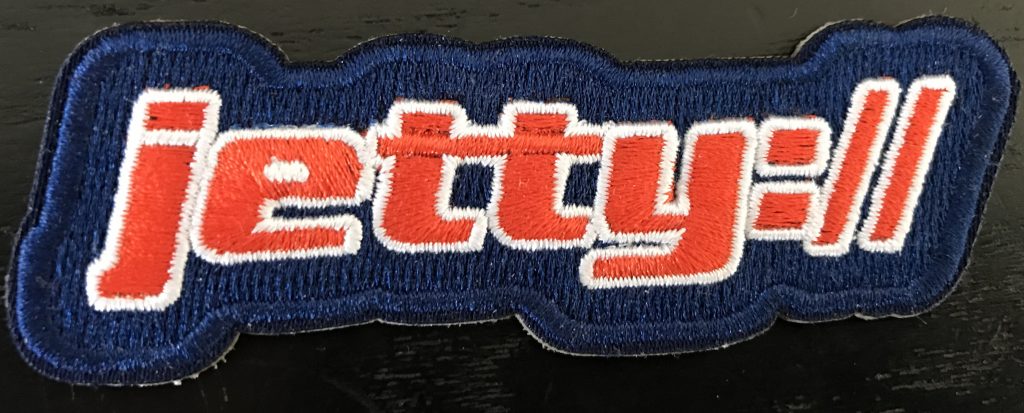
    Are you an Eclipse Jetty user who enjoys contributing to the open source project and wants to let the rest of the world know? Of course you are! As a thank you to our great community,  we’ve had some fancy patches made up and have launched a Patch for a Patch program. If you submit a patch to the Jetty project and it is accepted, we will send you a jetty:// iron-on patch that you can attach to your bag, coat, house, pet…etc. Show friends, family and strangers your dedication to the open source community!
    If you have submitted a patch in the last year and want to take advantage of this offer, please fill out this form, which will ask for your contact information and a link to the patch you submitted. Supplies are limited! We will ship anywhere worldwide that we can reach for a reasonable amount.